
Take the admin out of running training courses.
Expiry dates kept in spreadsheets, registers on paper and certificates made by hand eat into every week. TrainerDesk connects bookings, registers, certificates, payments and renewals in one system, so every expiry is flagged in time and every certificate is issued in a click.
Less of the work that happens after the course.
Most training providers run on a mix of spreadsheets, inboxes and paper. Here is what moving to TrainerDesk replaces.
| Before | With TrainerDesk | |
|---|---|---|
| Expiry dates | Kept in a spreadsheet and checked when someone remembers. | Tracked for every delegate and flagged 60 days before they lapse. |
| Registers | Paper sign-in sheets, typed up after the course. | Taken on the trainer’s phone while the course runs. |
| Certificates | Made one at a time, with no easy way to check them. | Issued in one click once a delegate has completed and paid, each with a QR check. |
| Client compliance | Pieced together from old emails whenever a client asks. | A live matrix showing every member of their staff against every course. |
| Payments | Chased from a separate invoice list. | Tracked against each booking, with overdue invoices on the dashboard. |
A one-minute tour.
From a client booking a course, through the register and the certificate, to the renewal three years later.
The screens your team will use every day.
These are real screens from TrainerDesk, filled with a sample training company.
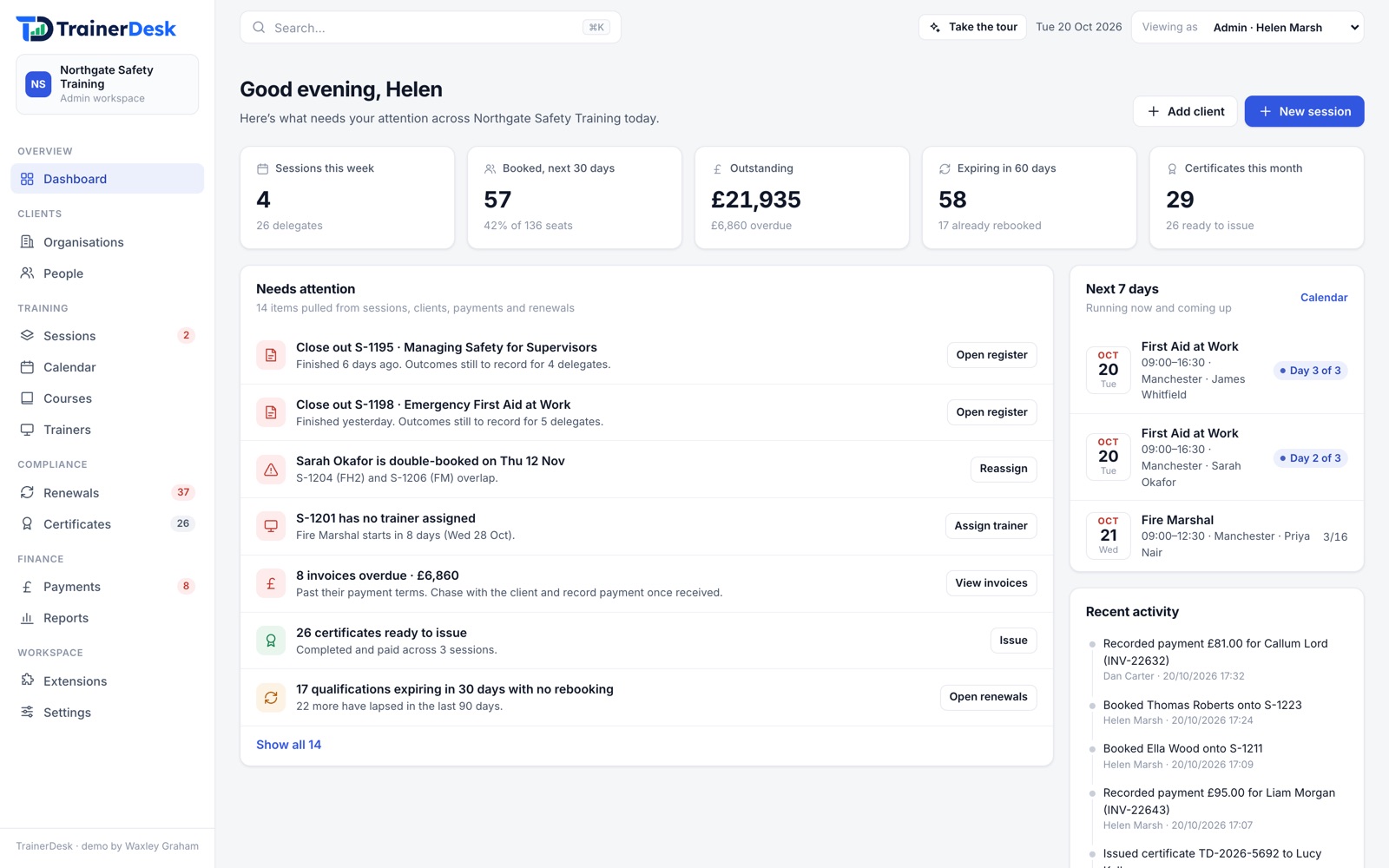
The day’s work, already listed
Registers to close, invoices to chase, certificates to issue and sessions that need filling, gathered from across the platform each morning.
- Headline figures for the week ahead
- Every session, trainer and venue on one calendar
- A one-click action on every item
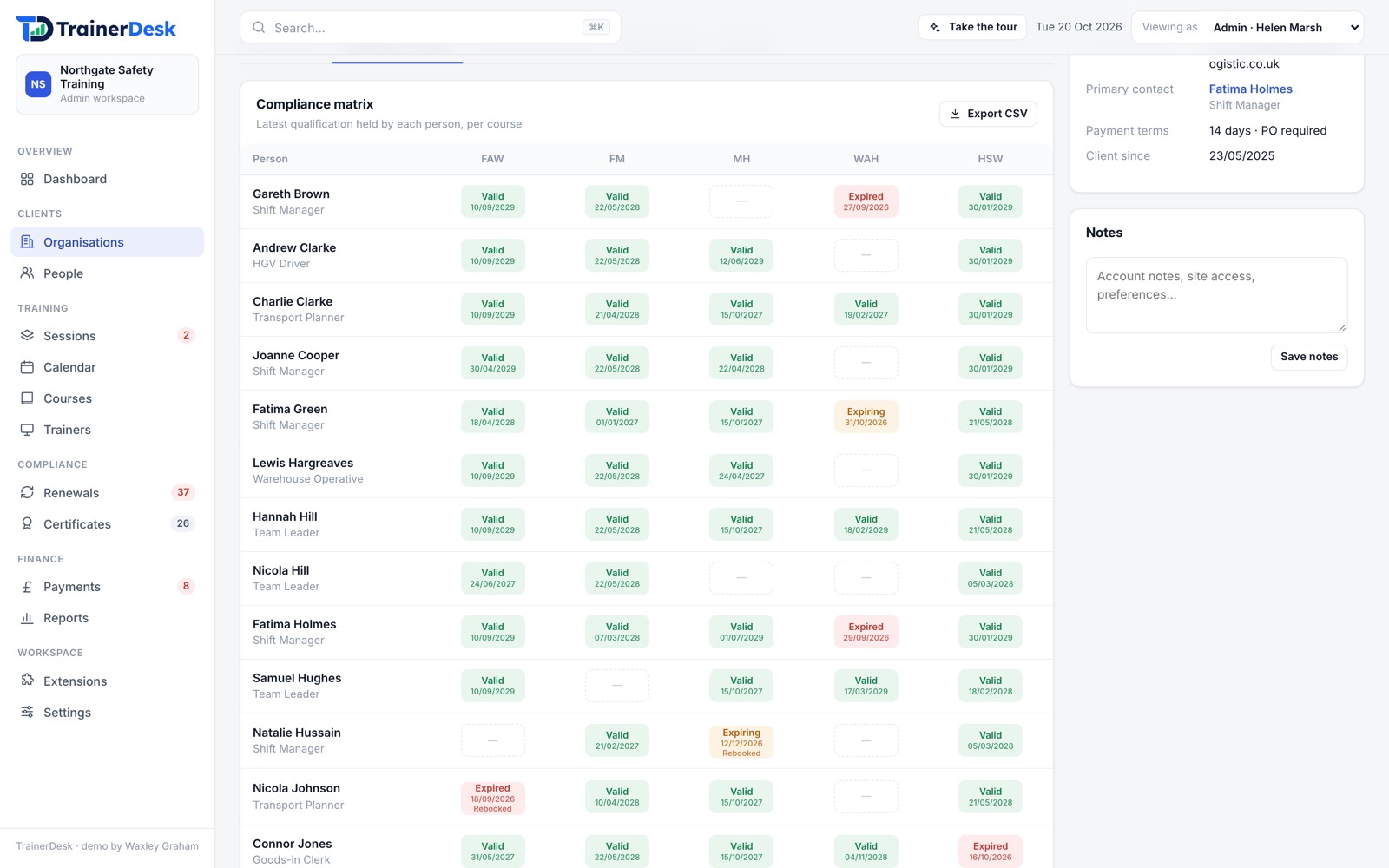
Every client’s staff, at a glance
Each organisation has a compliance matrix of its staff against your courses, so you can see who is valid, expiring or lapsed before the client asks.
- Training histories that follow each person
- Training from other providers recorded too
- A ready-made reason to offer an in-house course
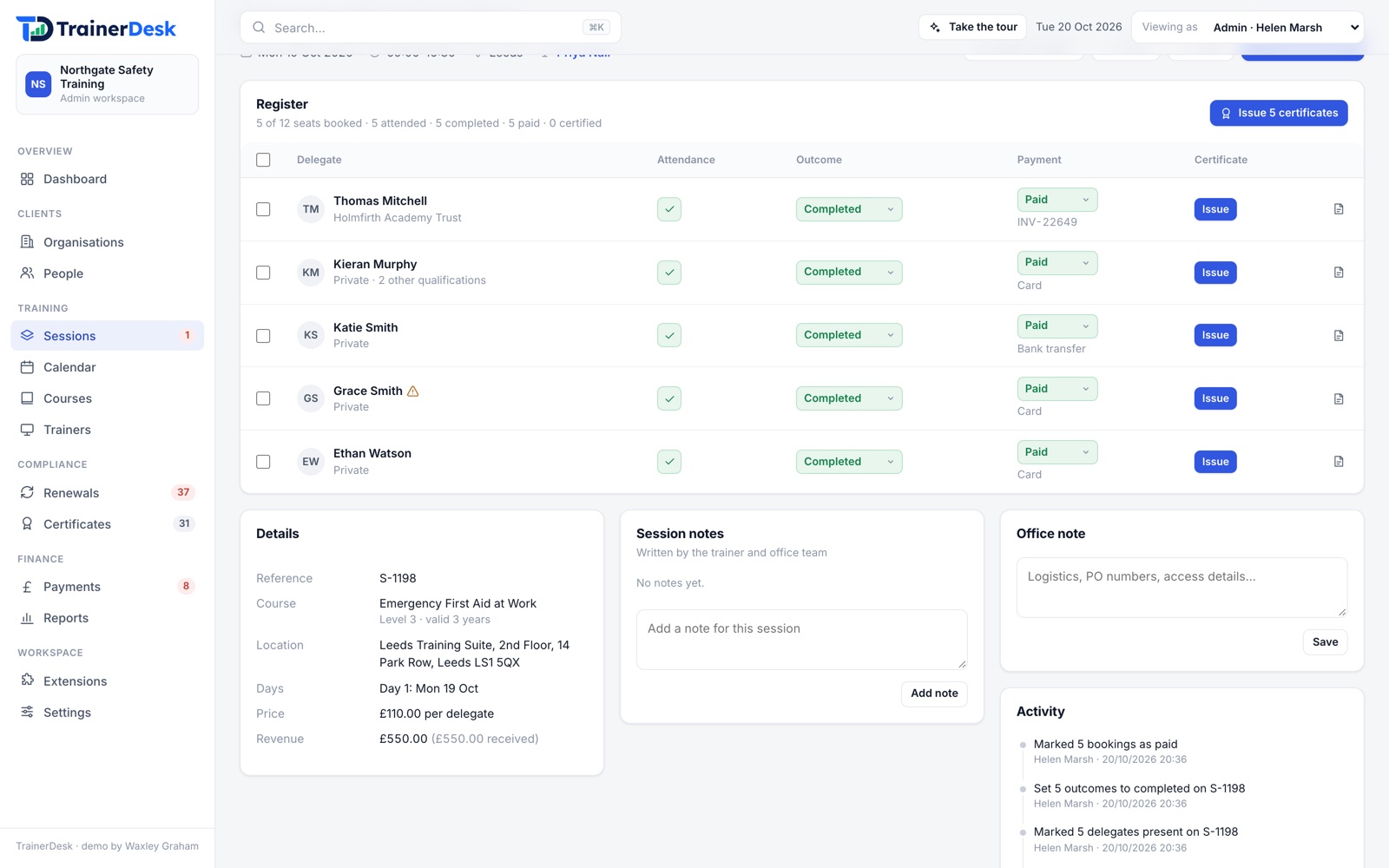
Registers, outcomes and payments together
Schedule open and in-house courses, mark attendance day by day, record outcomes and see who has paid, all on one screen.
- Warnings when a trainer is double-booked
- Waitlists for full sessions
- Bulk actions for the whole register
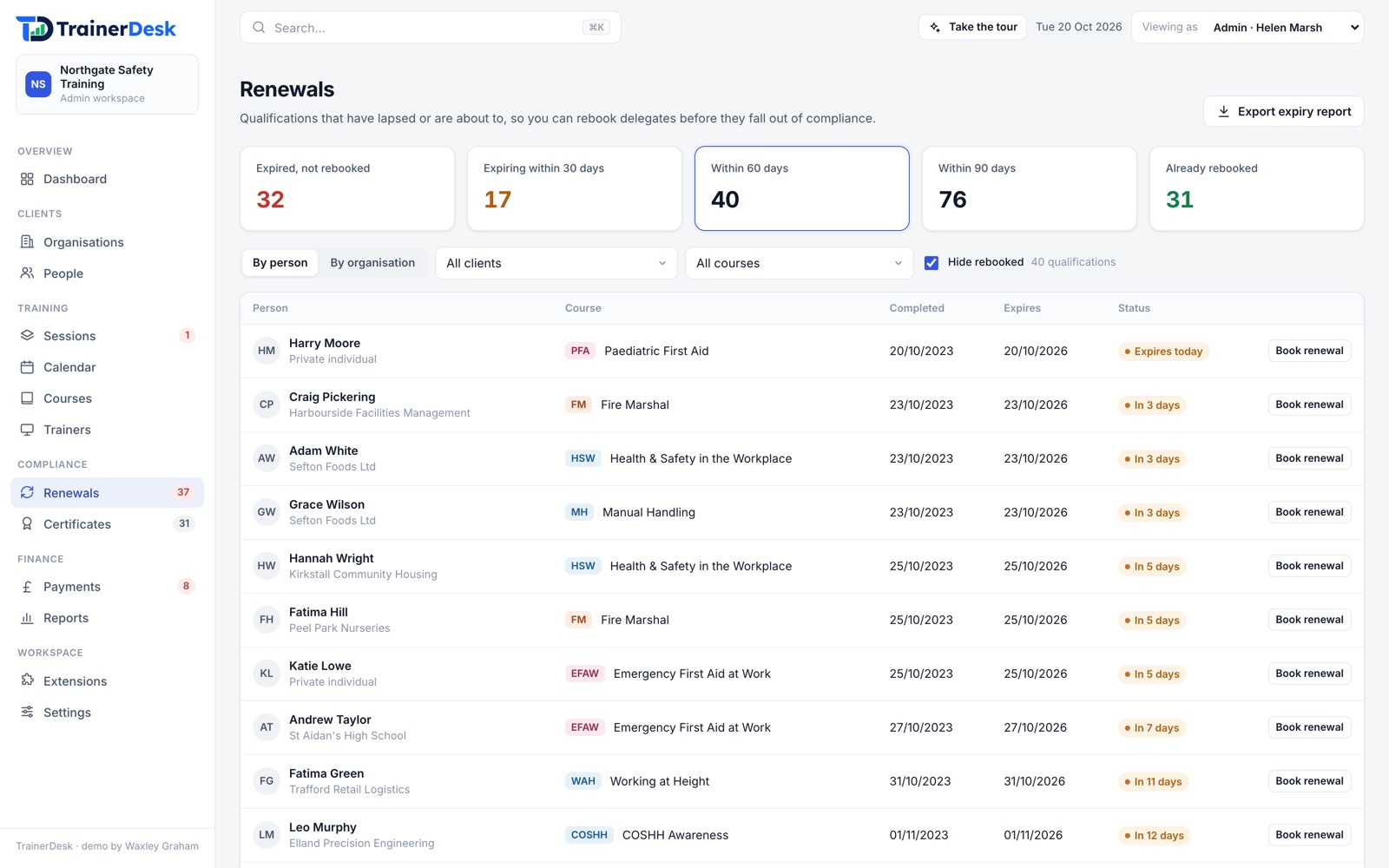
Expiries become bookings
See everyone whose certificate has lapsed or is about to, then book them onto a session in a click.
- 30, 60 and 90-day views
- Grouped by organisation
- Suggested when filling seats on a session
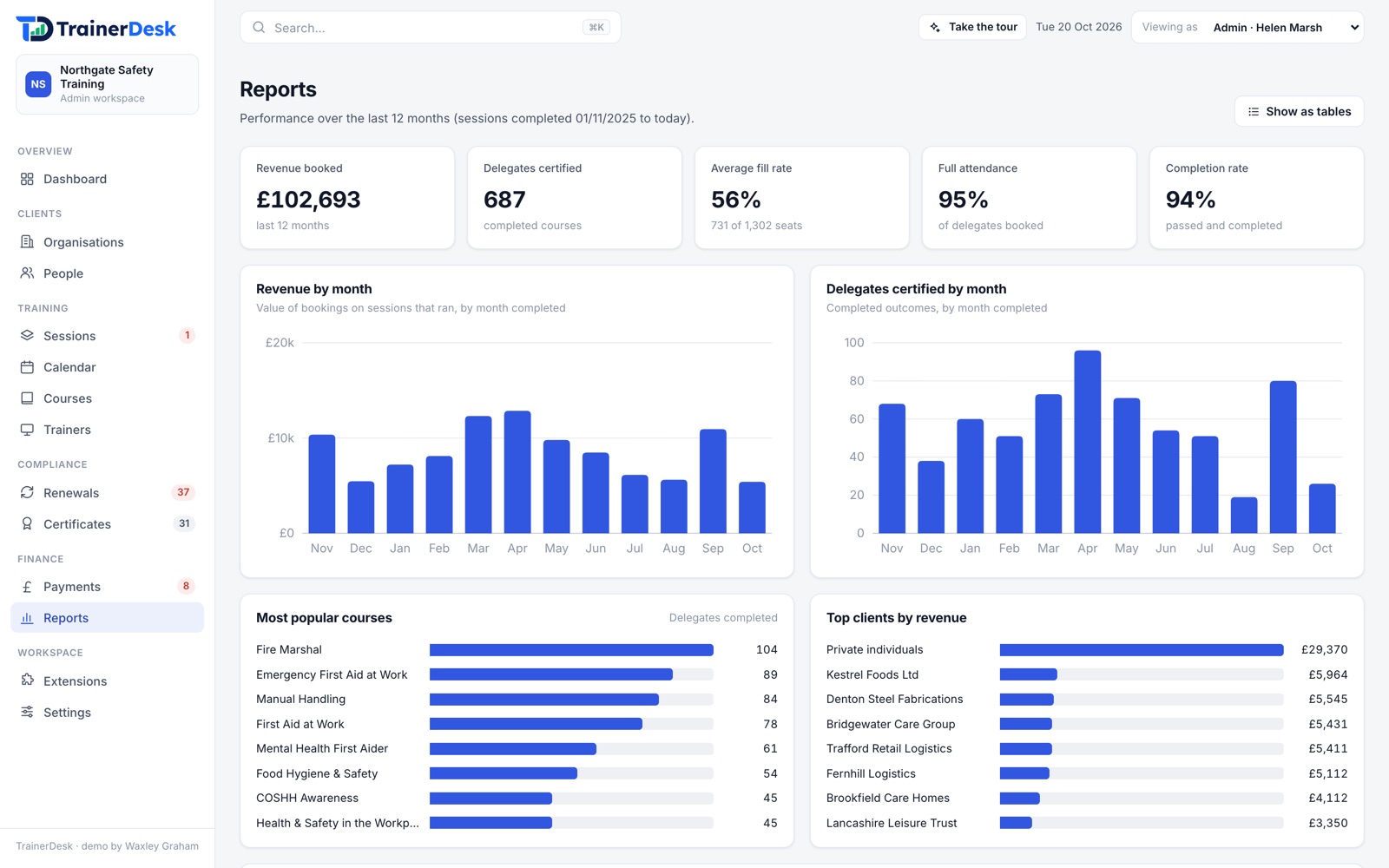
The numbers behind the business
Revenue, delegates certified, fill rates and completion rates for the last twelve months.
- Most popular courses and top clients
- CSV exports of every list
- Opens straight into Excel
What happens to a booking in TrainerDesk.
An example from the demo: six members of staff from a logistics company booked onto First Aid at Work.
- Tue 3 Nov
The booking
Fernhill Logistics books six warehouse staff onto First Aid at Work in Manchester. Their invoice is raised against the booking.
- Wed 11 – Fri 13 Nov
The course
Sarah, the trainer, takes the register on her phone each morning and records each delegate’s outcome on the last day.
- Mon 16 Nov
The certificates
The invoice is paid, and six certificates are issued in one click, each with its own number and QR code.
- Sep 2029
The renewal
All six are flagged sixty days before their certificates expire, ready to book onto a refresher.
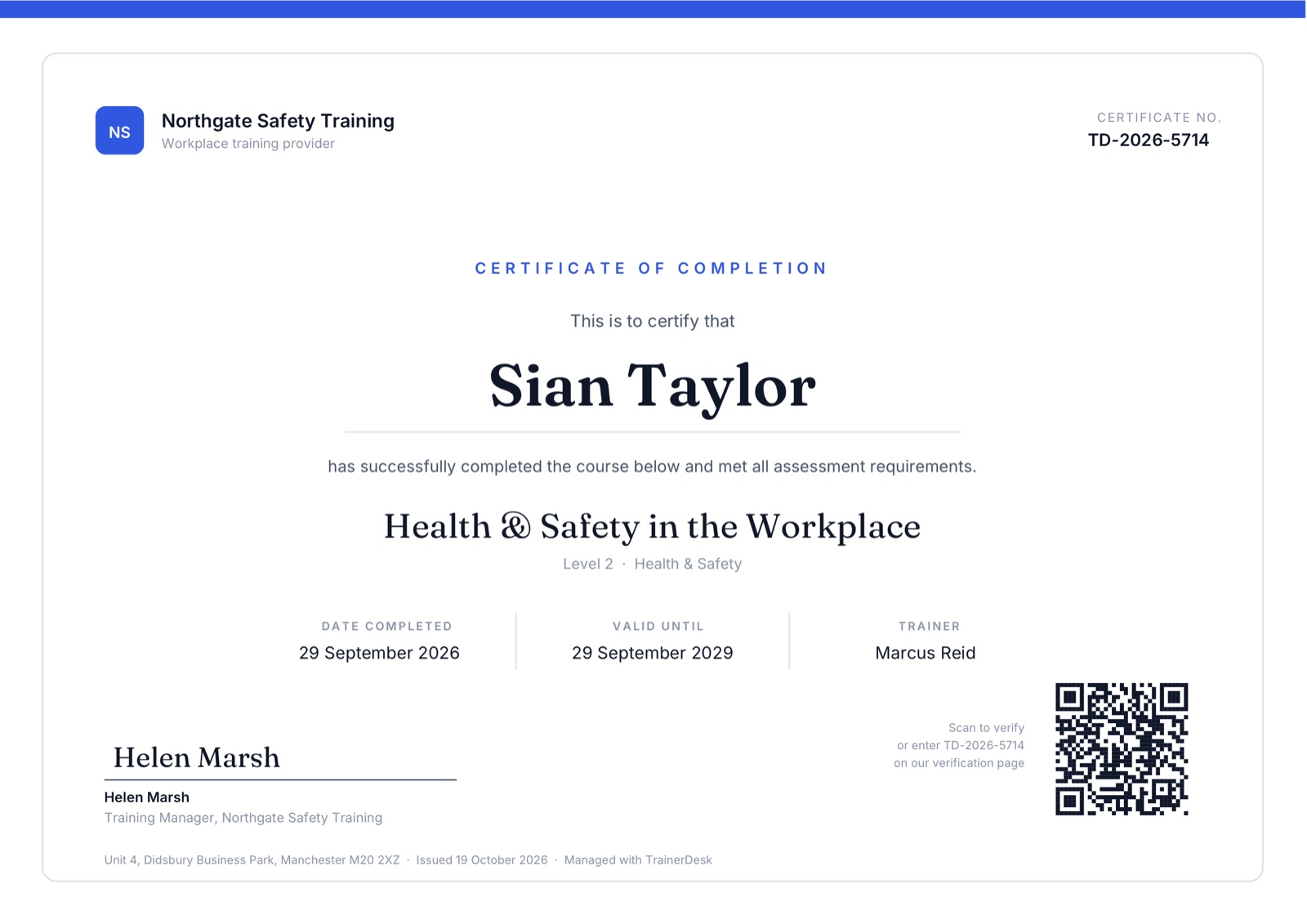
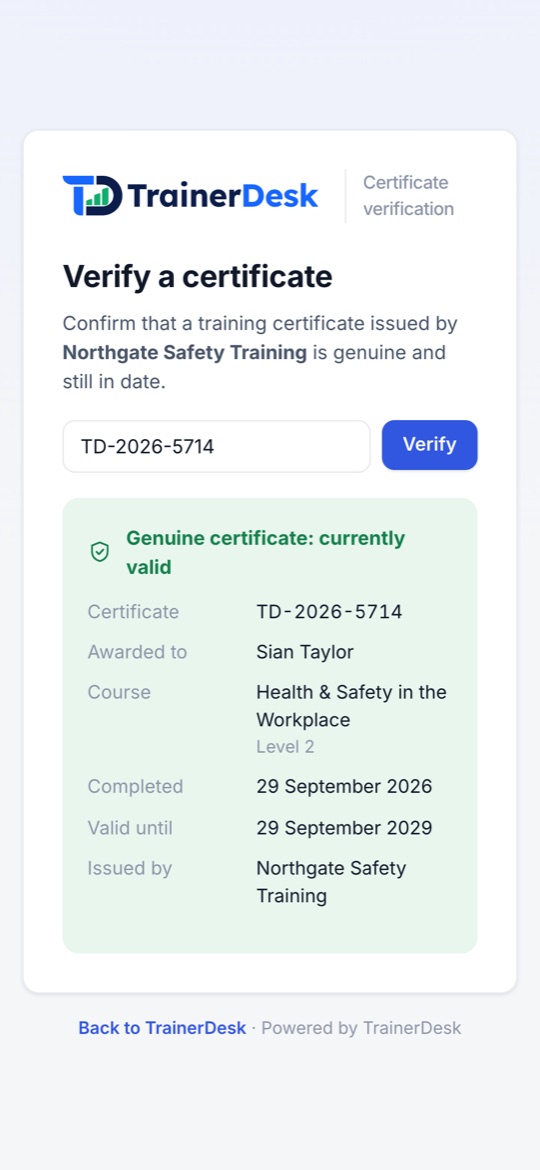
Certificates anyone can check.
Each certificate carries your branding and a QR code. A client, an auditor or the delegate can scan it and see straight away whether it is genuine and in date.
- Unique numberEvery certificate has its own reference, such as TD-2026-5714.
- Your brandingYour company name, signatory and address.
- QR checkOpens your verification page with the result.
- Released when paidUnlocked once the delegate has completed and paid.
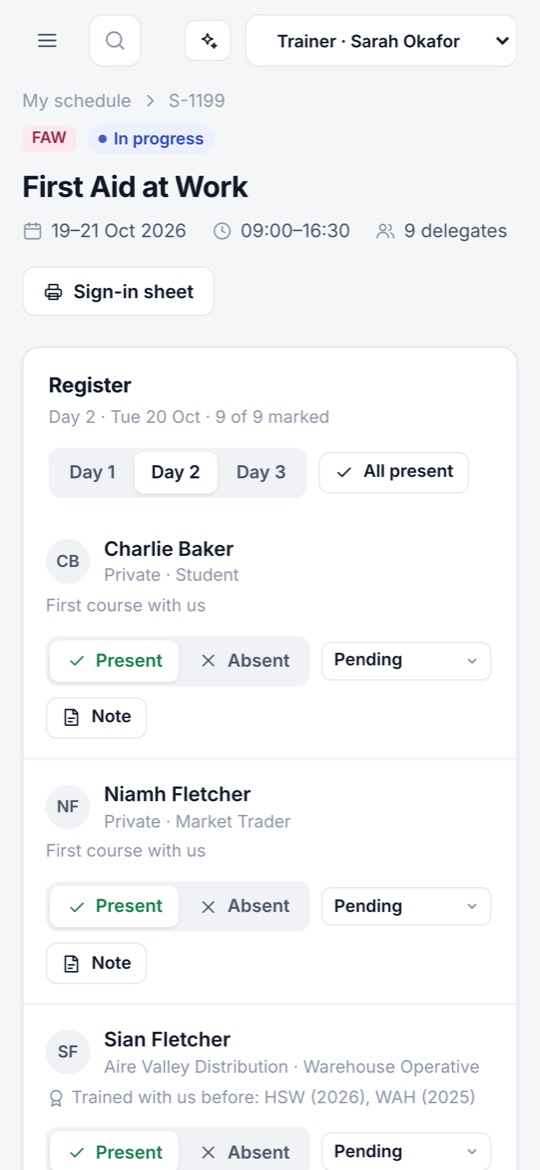
Your trainers take the register in the room.
Trainers get their own view of TrainerDesk on their phone: the session they are teaching today, then the rest of their week.
- Today firstToday’s session is the first thing they see.
- Live registerPresent or absent each day, then the outcome.
- Delegate historyEarlier courses, notes and additional needs.
- AvailabilityDays off, shared with the office.
What’s in the core platform.
Everything here is included as standard. If you need something it doesn’t do, we can build it for you.
For the office
- Dashboard
- A daily list of what needs doing, with figures for the week ahead.
- Sessions & calendar
- Open and in-house courses across every trainer and venue.
- Payments & invoices
- Payment status on every booking, with overdue invoices flagged.
- Reports & exports
- Revenue, fill rates and completions, with CSV exports.
For clients & delegates
- Client database
- Organisations and individuals, linked, with full histories.
- Compliance matrix
- Every client’s staff against every course.
- Certificates
- Branded, numbered PDFs with a QR verification page.
- Renewals
- Expiry tracking and one-click rebooking.
For trainers
- Trainer portal
- Their own schedule, on any device.
- Live registers
- Attendance and outcomes marked during the course.
- Delegate history
- Earlier courses, notes and additional needs.
- Availability
- Days off, shared with the office when scheduling.
The Safeguarding Alliance
The Safeguarding Alliance runs training, membership and certification for organisations and individuals. We built them a training management platform like TrainerDesk, then configured it around the way they work.
Alongside the core, their system sends automated emails, gives each person a permission level so they only see what they should, and handles clickwrap agreements such as their members’ code of conduct. Membership and supervision management run on the same platform.

Training manager
Clients, courses, sessions and certification
Dashboard calendar
Training, renewals and supervision together
Automated emails
Announcements, follow-ups and notifications
Permission levels
Each person only sees what they should
Clickwrap agreements
Code of conduct sent, signed and stored
Membership manager
Memberships, renewals and payments
Supervision manager
Supervision appointments and records
Courses & sessions
From booking through to completion
PDF certificates
Generated on demand
Client database
Organisation and individual profiles
Trainer portal
A space for trainers to run sessions
A ready-made core, with room to grow.
Start with the core platform. If your business needs more, we build it on top.
Ready to go, for a monthly fee
Set up with your courses, branding and existing records, and looked after by us.
- Dashboard and calendar
- Clients and compliance
- Sessions, registers and payments
- Certificates and renewals
- Trainer portal
- Reports and exports
Built around how you work
Designed and built by Waxley Graham, for example:
- Email and SMS
- Online booking and card payments
- Post-course feedback forms
- AI analytics
- Accounting integration
- Client and learner portals
Common questions.
- Who is TrainerDesk for?
- Training providers who run compliance courses, such as first aid, fire safety, health and safety, food hygiene and safeguarding, for organisations and individuals.
- Can we bring our existing records?
- Yes. We set TrainerDesk up with your courses, clients and training history, so expiry tracking and renewals work from the first day.
- Will our trainers need a laptop?
- No. The trainer portal works on a phone, so trainers can see their schedule and take the register in the room.
- Can it work the way we do?
- The core covers the day-to-day of running training. Beyond that, we design and build extensions around how your business works.
- How does anyone check a certificate?
- Every certificate has a unique number and a QR code. Scanning it, or typing the number into your verification page, shows whether it is genuine and in date.
- Can I try it first?
- Yes. The live demo is a sample training company with realistic data. You can also book a walkthrough with us.
See it with a sample training company.
The live demo is full of realistic courses, clients and certificates. Have a look round, or book a walkthrough and we’ll show you how it would work for you.